A few colleagues recommended the AI Claude Code for Everyone course to me. Not because I write code, I don’t, but because it offers a good mental model for how AI actually works with files and workflows, which I can them implement into my day-to-day.
They were right. But I won’t lie: the first few minutes were uncomfortable.
The terminal moment
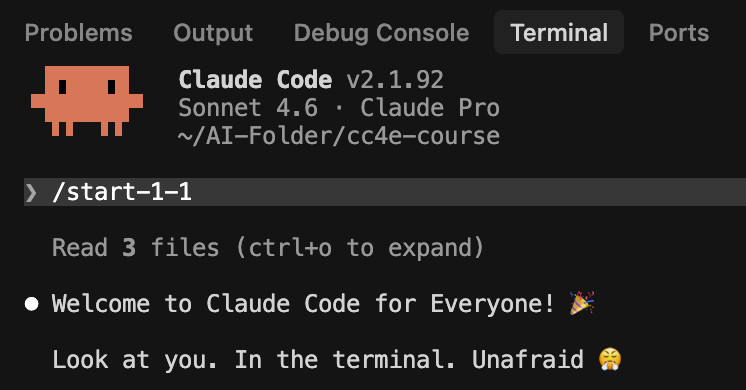
The course opens with the Terminal. If you’ve never used it, even typing cd to navigate into a folder feels foreign. I didn’t want Claude to access everything on my machine, so I created a dedicated folder, navigated into it, and kicked off the course from there. Small win, but it removed a lot of anxiety about what Claude could see.
Tip: create a fresh folder just for the course before you start. It keeps things contained and makes the whole thing feel less daunting.

What the course actually covers
There are two modules, and they’re genuinely different in what they teach you.
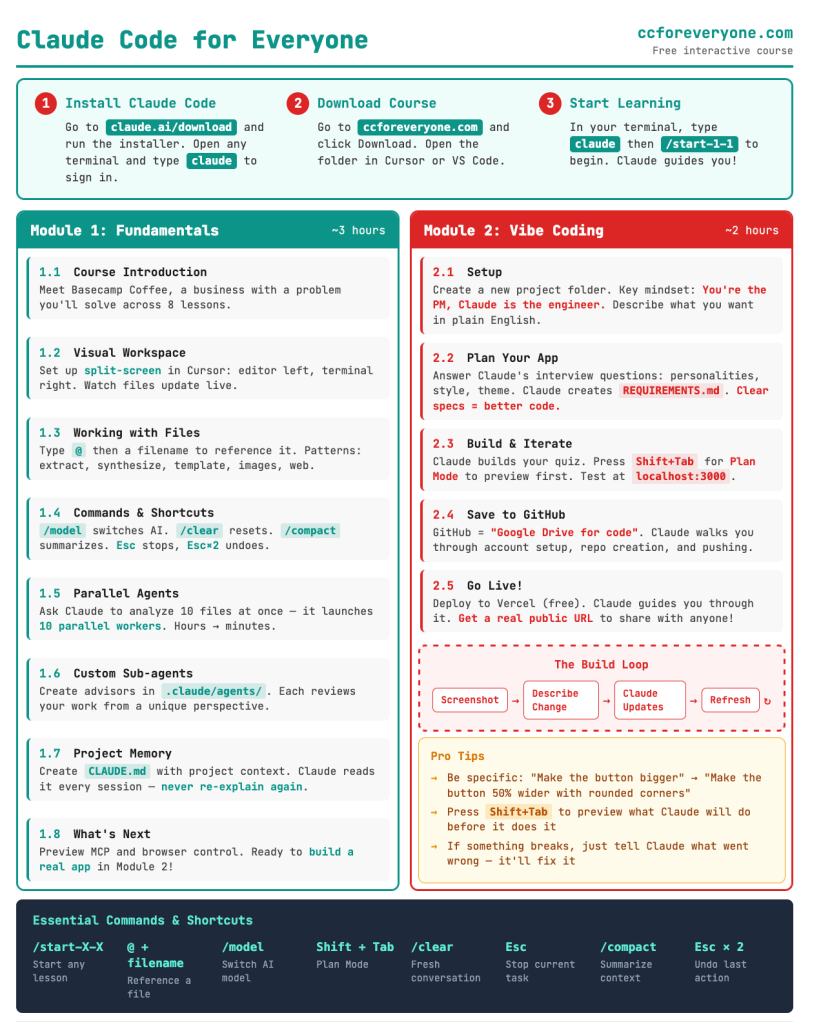
Module 1: Fundamentals
~3 hours
Working with files and folders, parallel agents, custom sub-agents, project memory, and commands. The practical, day-to-day layer.
Module 2: Vibe coding
~1–2 hours
You describe a real business problem, Claude helps you plan and build a solution as an actual app, then you deploy it live via GitHub and Vercel.
I chose Cursor as my code editor alongside Claude Code, it lets you work with AI assistance directly on files rather than constantly copy-pasting into a chat window. That alone changed how I think about my workflow.
The thing that immediately made sense for my work
Module 1 is where it clicked for me as a leader. You can point Claude at an entire folder of files, ask it to read through them, extract patterns, and produce structured outputs. The use cases for managing a remote team are obvious: pulling action items from 1:1 notes, synthesising CSAT feedback across multiple files, generating weekly leadership updates using a template you’ve defined once.
The course frames this as five core skills you walk away with:
- Extract – Pull structure from messy docs — handoff notes, transcripts, contracts
- Synthesise – Find patterns across multiple files — tickets, emails, survey responses
- Template – Use one file to control the format of outputs — reports, updates, proposals
- Analyse images – Get insights from screenshots, UI bugs, design mockups
- Web research – Pull in external information on demand — best practices, competitor intel
The concept that reframed how I think about AI
I didn’t expect the agents section and it was the most interesting part of the course. Agents are temporary workers, spin them up to process ten files simultaneously, then they’re gone. Sub-agents are permanent team members: files with defined personalities and perspectives you can call on anytime. The course gives examples like an exec advisor who asks “will this move the needle?” and an ops lead who focuses on what customers actually experience.
As someone who leads a team of leads, this framing clicked immediately. I’m already thinking about how to set up sub-agents that reflect different stakeholder lenses in my own planning work.
Vibe Coding to create a live app
This is where the course goes further than I expected. Rather than stopping at file analysis, Module 2 walks you through identifying a real business problem, gathering requirements through a structured planning process, and then building an actual solution, with Claude doing the coding while you direct the outcome.
The pipeline from idea to live product looks like this:
Define the problem → Plan with Claude → Build the app → Push to GitHub → Deploy on Vercel
I built a coffee personality quiz as my project. It’s live, it has a real URL, and I built it without writing a single line of code myself. That’s the point, you describe what you want, Claude builds it, and you iterate using screenshots and feedback until it’s done.
What’s Your Coffee Personality?
My Module 2 project — a quiz app built entirely with Claude Code, deployed live on Vercel quiz-project-kappa-wine.vercel.app
A few practical things worth knowing
The course also covers slash commands (/model, /clear, /compact, /resume), three input modes (Edit, Auto-accept, and Plan, switch between them with Shift+Tab), and think keywords like think harder and ultrathink for when you need Claude to go deeper. You can also create custom commands for repeated workflows stored as files in .claude/commands/ for a leader running weekly updates or recurring reports, this is genuinely useful.
One more thing worth knowing: you’ll need the basic Claude Pro subscription ($20/month) to use Claude Code. The course itself is completely free.
Would I recommend the AI Claude Code for Everyone course? Yes, especially if you’re not a developer. The terminal is scary for about ten minutes and then it’s fine. What you get in return is a genuinely different relationship with AI: not just chat, but a system that can read, synthesise, and produce outputs across your whole body of work, and with the capability of shipping your work too.


 Remote Rachel
You must be logged in to post a comment.