In my free time I dabble in creative writing. I like to write short stories, story ideas, book outlines, the kind of content that starts as a feeling and ends up as something someone saves and comes back to. I recently started sharing my work online, but I soon found managing it was chaos.
I was writing in my notes app, generating images separately, copying captions manually, and trying to remember which formats worked and which flopped, all while keeping track of what was scheduled, what was published, and what was just a half-formed idea at 11pm. There was no system. There was just me, slightly stressed, with seventeen browser tabs open.
So I decided to lean into AI and build what I needed.
The Idea
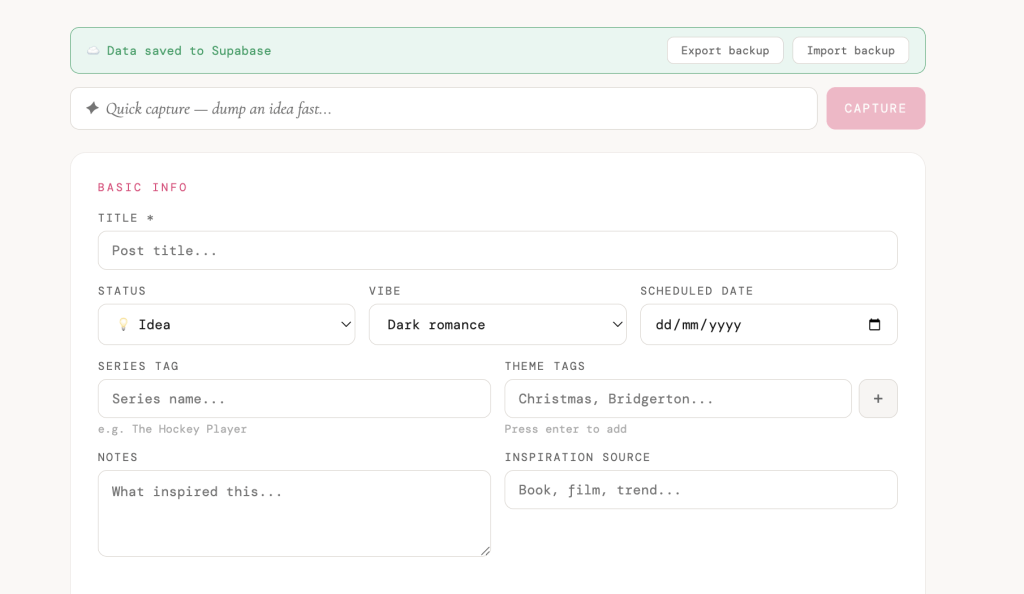
I wanted a content studio. Not a spreadsheet. Not Notion. Something actually built for how I work, a tool that understood that each post is a 3-part structure with a Hook, a Build, and a Payoff. That each part needs an image prompt for AI image generation. That I track 24-hour stats differently from 7-day stats.
I had never built an app before. I had a Claude Pro subscription and a lot of determination.
What I Built
The app is a private, password-protected content studio that does everything I need:
Posts tab
- Every post has a status: 💡 Idea → ✏️ Draft → ✅ Published → 🌐 On WordPress.com
- Each post stores 3 slides with text overlay and an AI image prompt per slide
- Series tags, theme tags, notes, inspiration source
- Post URL, sound name, trends, repost reminders
- 24-hour stats and 7-day stats separately tracked
- Engagement rate calculated automatically
Analytics tab
- Daily posting streak
- Best performing content style
- Follower milestone tracker with growth projection
- Trophy for your best performing post
- Content gap warnings when nothing is scheduled
Workflow features
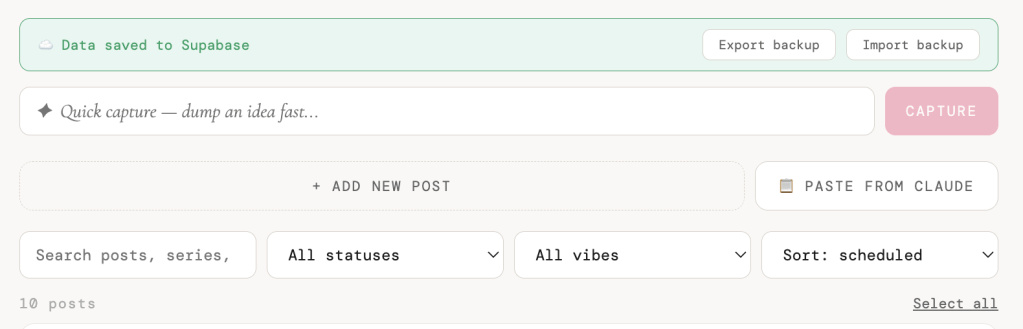
- Quick capture, one field to dump an idea fast
- Paste from Claude, copy formatted content from Claude, paste it straight into the app
- Bulk status updates
- Export and import backup as JSON
- Works on desktop and mobile, fully synced
The Tech Stack
I had never heard most of these words before this project.
Next.js — the framework the app is built on. React-based, works perfectly with Vercel.
Supabase — a free PostgreSQL database in the cloud. This is what makes the app work across devices. Your data lives here, not in your browser.
Vercel — where the app is deployed and hosted. Free tier, automatic deploys every time you push to GitHub. You push code, the site updates in 60 seconds.
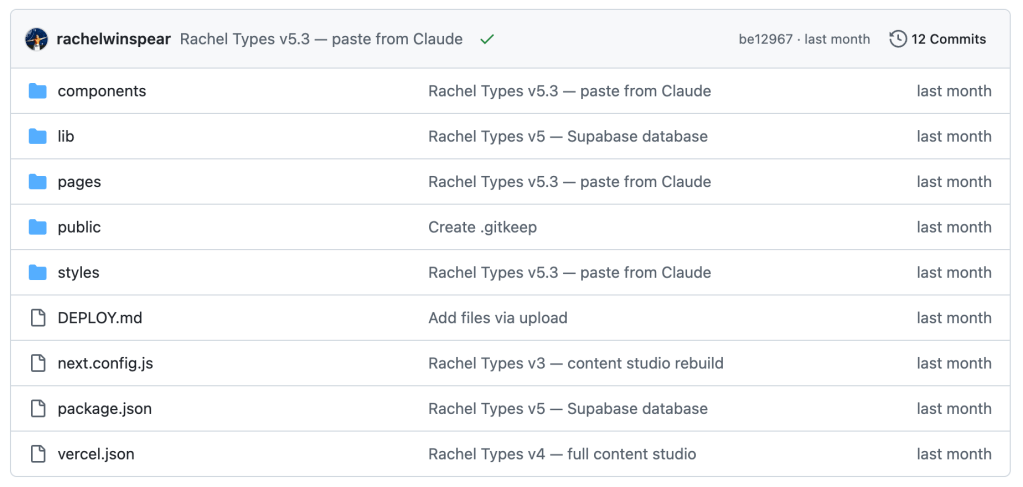
GitHub — version control. Every update to the app goes here first, then Vercel picks it up automatically.
Claude — wrote every line of code. I described what I wanted, Claude built it. I described problems, Claude fixed them.
Gemini — for generating the images for each post – although recently ChatGPT Image is my favourite for generating images.
The Trouble I Had
Where do I start?
The GitHub repository was empty. Vercel couldn’t deploy because I’d created the repo but never actually put any files in it. This took longer to figure out than I’d like to admit.
Vercel didn’t recognise it as a Next.js app. It kept looking for a “public” folder like a plain HTML site. The fix was switching the Framework Preset to Next.js in the settings, something that should have been obvious but wasn’t.
The Anthropic API costs money. I thought my Claude Pro subscription covered API calls from the app. It doesn’t. The Claude.ai subscription and the Anthropic API are completely separate products. I learned this when I got the error “Your credit balance is too low” after building the whole pipeline. We ended up removing the AI generation from the app entirely and keeping Claude for content creation instead, which is actually a cleaner workflow.
Data disappeared when I updated the app. The early versions stored everything in localStorage, browser storage that gets wiped. I lost posts I’d added. The fix was migrating to Supabase, which stores data in a real database that persists across devices and updates.
Mobile didn’t show any posts. This was a subtle one. The auth check was causing the entire component, including the data fetching, to unmount on mobile. The fix was separating the Dashboard component from the auth logic so data loads regardless of login state.
Supabase paused my database. Free tier Supabase pauses projects after 7 days of inactivity. I came back after a break to find everything seemingly gone. Resuming the project in the Supabase dashboard fixed it instantly.
What I Learned
Describe the problem, not the solution. The best results came when I told Claude what I was trying to do, not how to do it. “I want to track which got the most likes across all my posts” worked better than trying to describe a technical implementation I didn’t understand.
Build the structure first. We spent a long time designing the app before writing a single line of code, what fields each post needed, what the status workflow looked like, what the analytics should show. That time was not wasted, but saved time in the long run.
Free tiers have limits. Supabase free tier pauses. Vercel free tier has limitations. The Anthropic API is not included in your Claude subscription. Know this going in.
One tool per job. ChatGPT for content creation. Claude for the app creation for organisation and tracking. Gemini/ChatGPT for images. Trying to make one tool do everything is where the friction comes from.
Ship before it’s perfect. We iterated through five major versions. V1 didn’t work at all. V3 lost data. V5 is solid. If I’d waited until it was perfect before starting, I’d still be waiting.
What I’d Do Differently
Start with a database from day one. We went through localStorage → JSON export/import → Supabase. All of that could have been skipped by starting with Supabase. The migration was extra work that didn’t need to happen.
Deploy earlier and test on mobile sooner. I spent a while building and testing only on desktop, but my workflow was to use this on the go on my mobile. The mobile bug would have been caught on day one if I’d opened it on my phone immediately after the first deploy.
Understand the costs upfront. Before building an AI pipeline into the app, I would have checked whether my existing subscriptions covered it. They didn’t, so I had to review the approach.
Define your output format from the start. Getting Claude to output content in a consistent format for the app required me to define that format clearly. I should have done that at the beginning, not halfway through.
Where It Is Now
The app is live, password protected, works on desktop and mobile, synced via Supabase, and genuinely part of my daily workflow. I open it daily to see what’s due, log stats from the day before, and capture new ideas.
It also has a posting streak tracker, growth projections based on follower milestones, repost reminders for content worth recycling after 90 days, and a “Paste from Claude” button that lets me create content in Claude and drop it straight into the app in seconds.
Next on the list: N8N automations for posting reminders and weekly backups to Google Drive. And eventually a WordPress integration so my writing and stories live somewhere permanent.
The Honest Take
I am not a developer. I don’t know React. I couldn’t explain what a Postgres schema is without looking it up. But I built a real, deployed, working app, one that I actually use daily, by being very clear about what I needed and working through the problems one at a time.
The AI didn’t do it for me. It built what I described. The describing was the hard part, and that part was entirely mine.
If you’re a creator who has a process that isn’t quite working, who has the ideas but not the system, you can build the system. You don’t need to know how to code. You need to know what you want.



You must be logged in to post a comment.